


Meta Advertiser Field Notes
Wednesday observations from inside Meta ads
These are smaller things I noticed this week and not just related to Meta advertising. Some are new features I discovered or related to settings I use. Others come from specific projects I’m working on. None warranted a full post on their own, but all are worth paying attention to.
- Advantage+ Creative video generation beta
- ChatGPT ads at a $60 CPM?
- Building dashboards with Claude Code
- How Related Media could be even more useful
- Audience segments bug?
- The most useful button in Ads Manager
- Daily Budget Flexibility weirdness
- How Meta could auto-generate audience segments
Let’s get to it…
1. Advantage+ Creative Video Generation
And now it gets interesting.
Within the past year (I can’t find the official announcement, but it was likely from an earnings call), Meta announced that advertisers would soon have the ability to create AI-generated videos based on product images. I now have access to this beta feature.
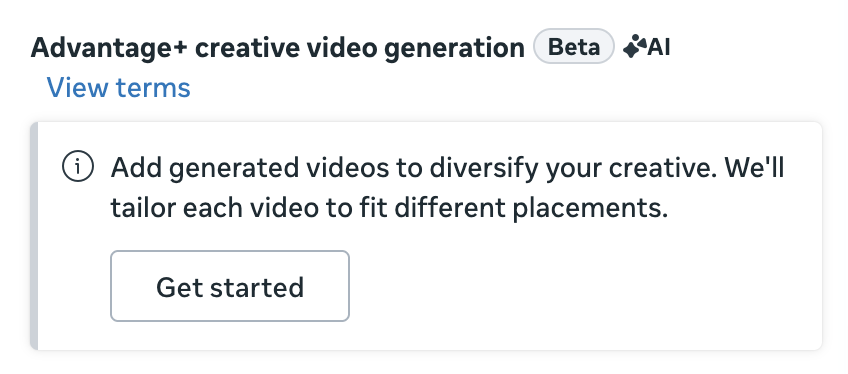
When creating a new ad, there’s a section for Advantage+ Creative Video Generation (Beta) between creative and text settings.
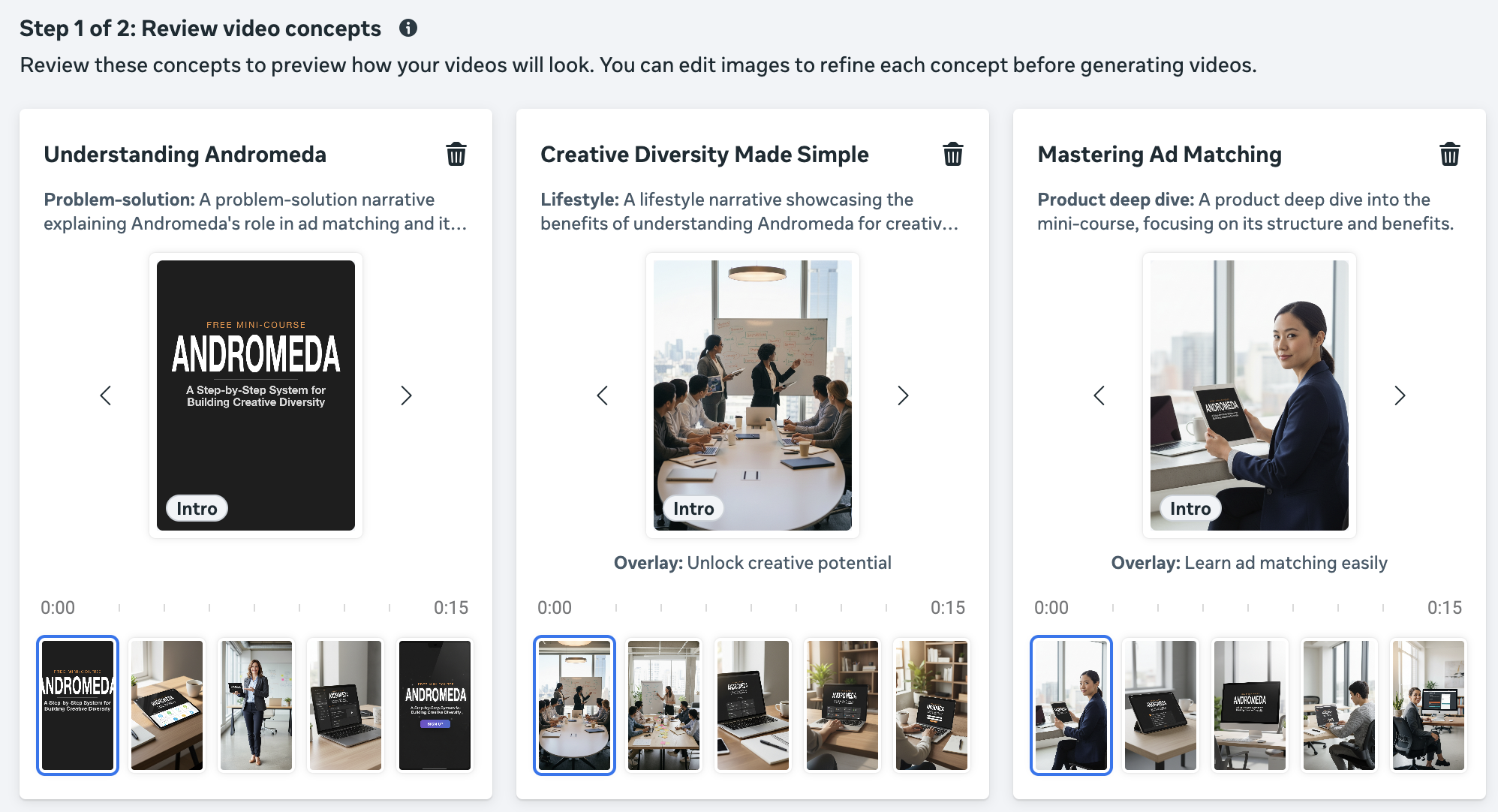
The process starts with three video concepts that Meta generates based on your text and creative. One video is composed of five video clips, based on your ad creative. Meta will also fill in the blanks with stock imagery.
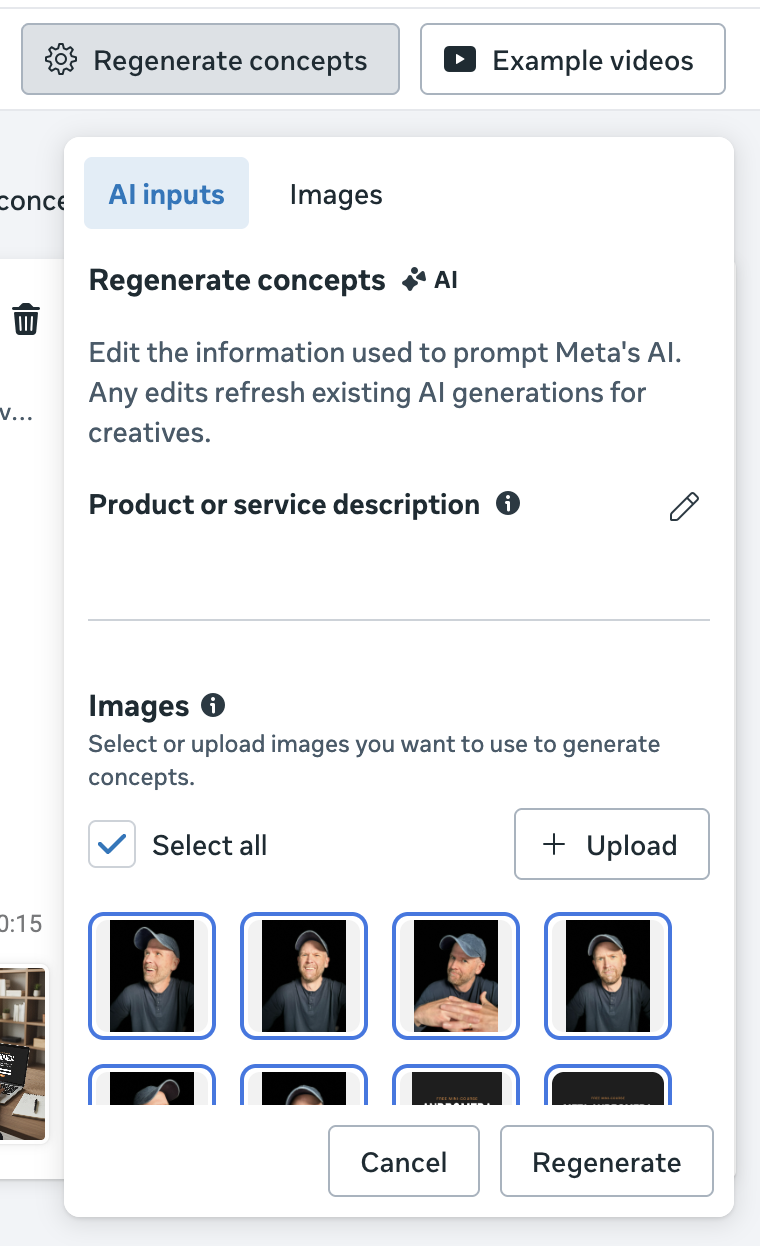
You can edit the product or service description and submit as many additional images as you like to update these concepts.
Meta will then take those images and concepts and turn them into 15 to 20 second videos. Understand that these aren’t slide shows. Each clip will use the submitted images to generate videos.
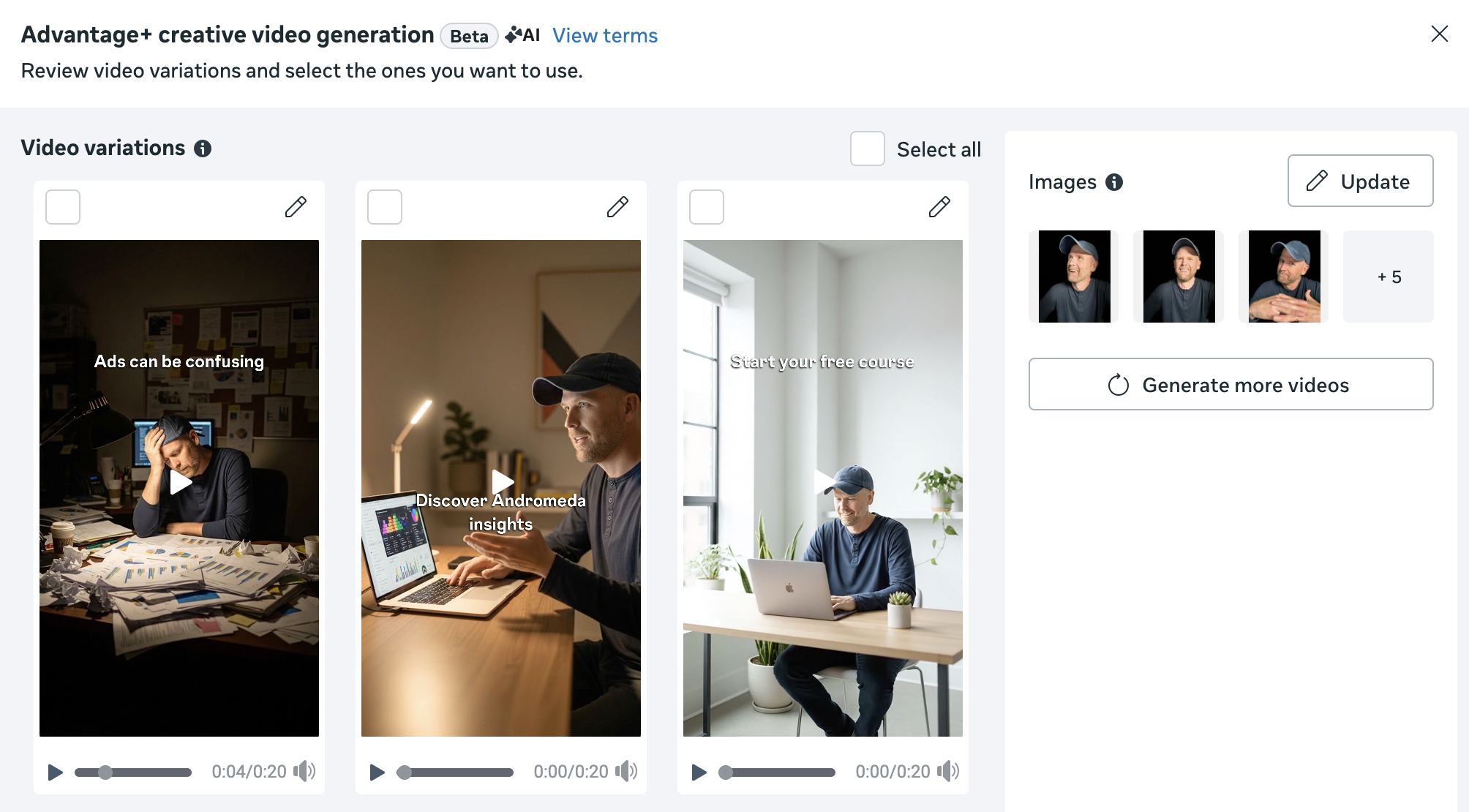
You can edit the text used in overlays and select from a small handful of music options (very limited options here).
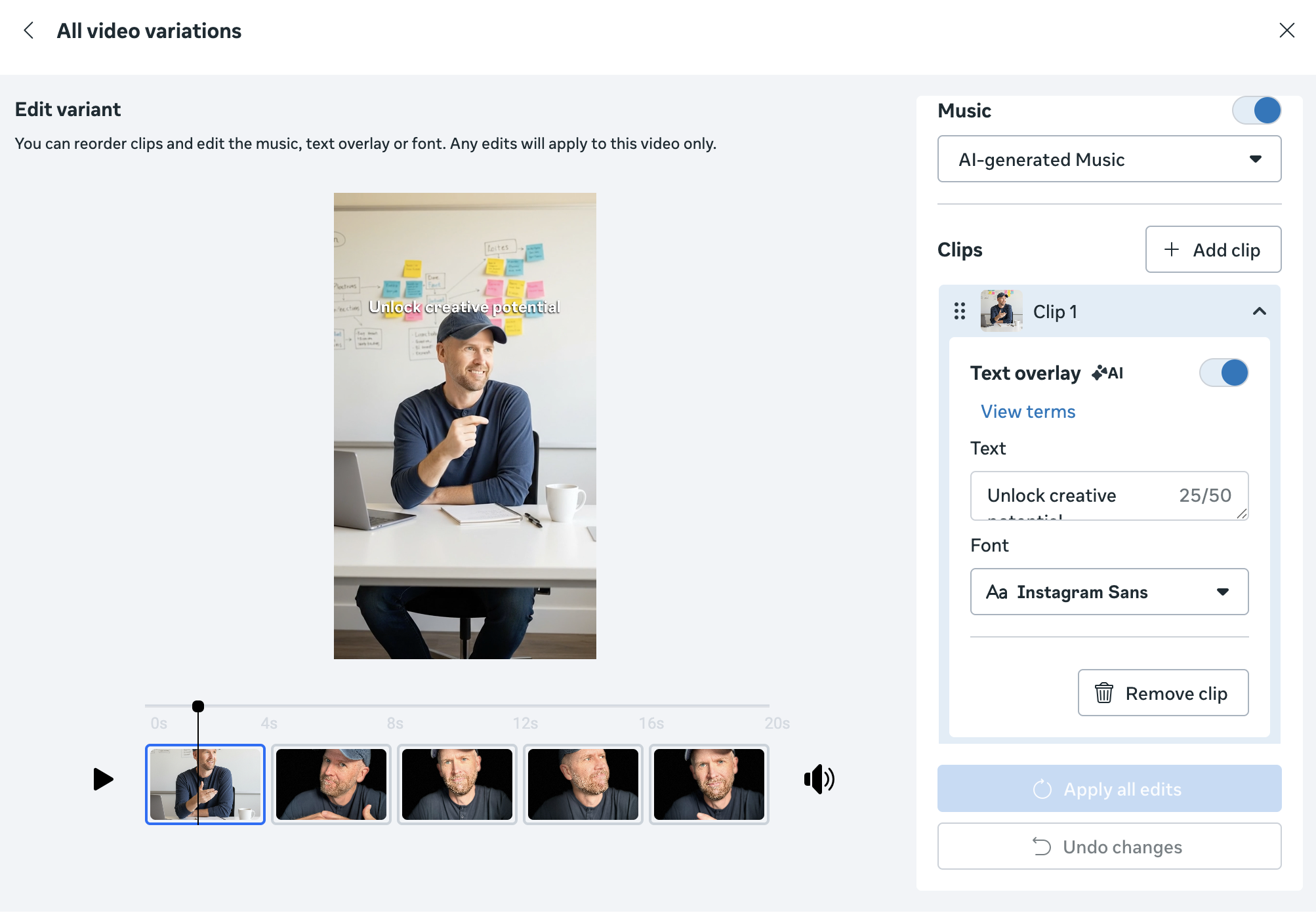
This feature has promise. I’ll certainly be working with it and will report back.
2. ChatGPT Ads at a $60 CPM?
OpenAI announced last week that they’ll be opening tests for ChatGPT ads in the US soon. This got my attention since the potential could be huge given the level of intent that is possible for matching ads with conversations.
Thanks to a report from The Information, we have some additional details related to initial pricing and data given to advertisers.
OpenAI is pricing these ads at roughly a $60 CPM. The initial response I’ve seen to this price is shock, given that it is about three times that of Meta (on average). But context is important here.
A $60 CPM isn’t unheard of for Meta advertisers. Several factors, including industry, goal, audience, and competition, can drive CPM costs up to and potentially beyond $60. The question is always whether you can get worthwhile results from whatever the price may be.
Of course, I wouldn’t advise you run ChatGPT ads for the purpose of driving empty traffic or selling $10 t-shirts. You’re unlikely to get the return to make such costs worthwhile. But, it could certainly be worth it to those in the service and hospitality industries, or those with high-ticket offers. If that relevance results in profitability, advertisers will be willing to pay more.
OpenAI will provide very basic stats for advertisers, like impressions and clicks. And that’s not great. So advertisers will need to set up UTM parameters and any third-party tracking they can to connect their results to ad spend.
From an advertiser’s point of view, this final point sounds a bit problematic. If we’re not sending events using a pixel or API, OpenAI has no idea whether an ad is successful beyond the impressions and clicks. So, presumably, it will be the clicks that tell OpenAI that an ad is desirable.
We’re dealing with a different animal here, so I also don’t want to assume that it can’t work. And it’s always possible that the amount of data to and from OpenAI will increase. I also wouldn’t be surprised if the days of using a pixel are over.
Stay tuned.
3. Building Dashboards with Claude Code
Claude Code is a hot topic right now, and I decided to test it out and see what the fuss is about. If you’re not familiar, it’s an extension of the Claude LLM that helps expert developers build at scale while enabling complete noobs build things they never could have imagined.
There are of course potential risks involved with non-programmers building things. So when I took a swing at Claude Code, I’d only build things locally on my computer. And so far, wow…
My first goal was to see what I could do with the Meta ads API. I set up a dashboard that reflected the stats I cared about most. The API is limited a bit regarding some of the breakdown data, which made such a dashboard less useful for me. But it was still a cool experiment.
I’d eventually like to set up dashboards in the hopes of replacing much of the manual work I’ve done monitoring my email list and podcast. This is where I’ve found much more value so far.
I was able to utilize the Keap/Infusionsoft API to create a dashboard that highlights all of the important data that I track every day. Keap’s native reporting is pretty awful, and this allows me to generate charts and graphs that highlight what I care about most. I’m still polishing, but it has a lot of promise.
The most value I’ve seen from this exercise so far has been with the monitoring of my podcast. It doesn’t even matter that there isn’t an accessible API to feed in the data to automate this. I drop exports from Libsyn, Spotify, and Apple Podcasts to get one easily digestible report that highlights the things I care about most.
Data from each source is different, of course. Different metrics, different reporting filters, different everything. But this helps me keep an eye on each one and make better sense of the metrics.
For example, Spotify doesn’t natively provide weekly and monthly data. So I set up my dashboard in a way to view this information, and it’s helped me uncover the fact that I just had my biggest week of plays.
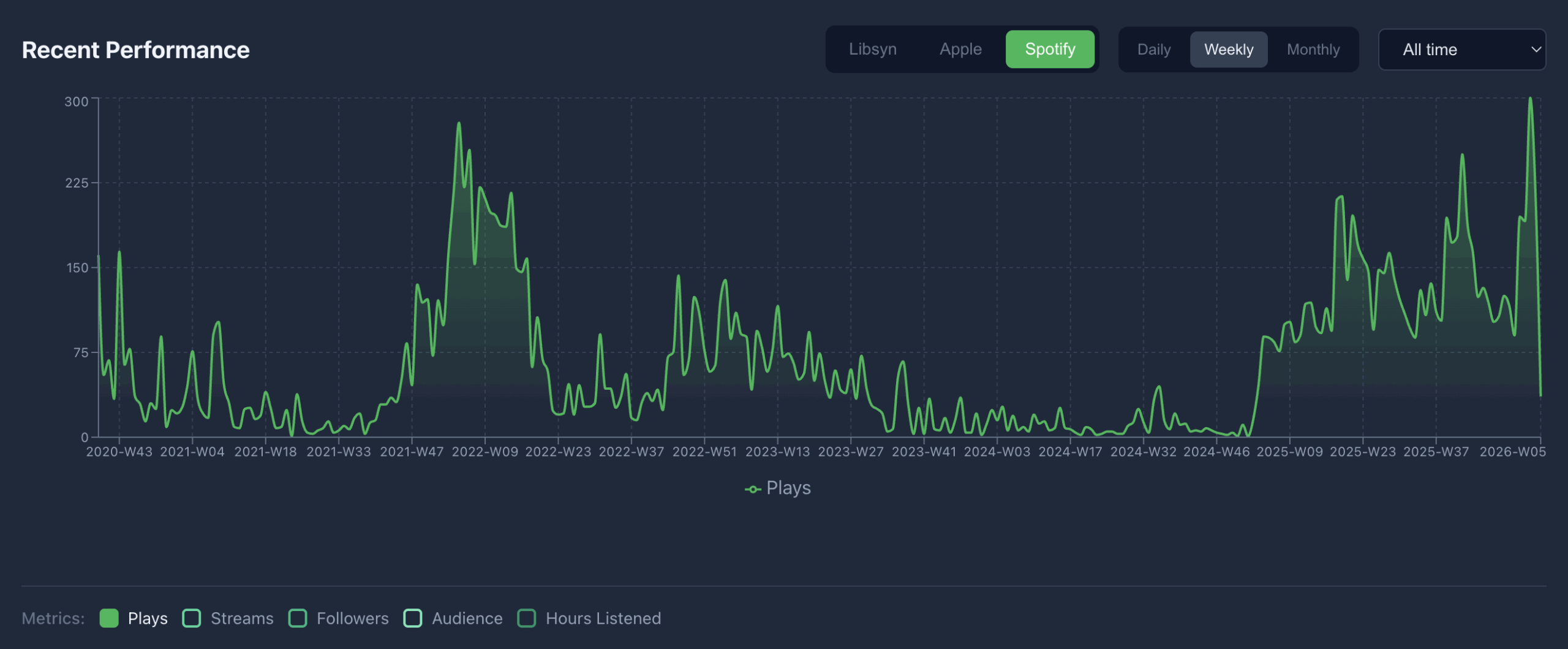
I know this isn’t advertising related, but the main takeaway is that you can build some pretty amazing things to help polish up your workflow. Advertising is certainly one of them. Just be safe out there if you aren’t a programmer.
4. How Related Media Could Be More Useful
When you create an ad that promotes something you’ve promoted before, Meta may recommend adding Related Media.
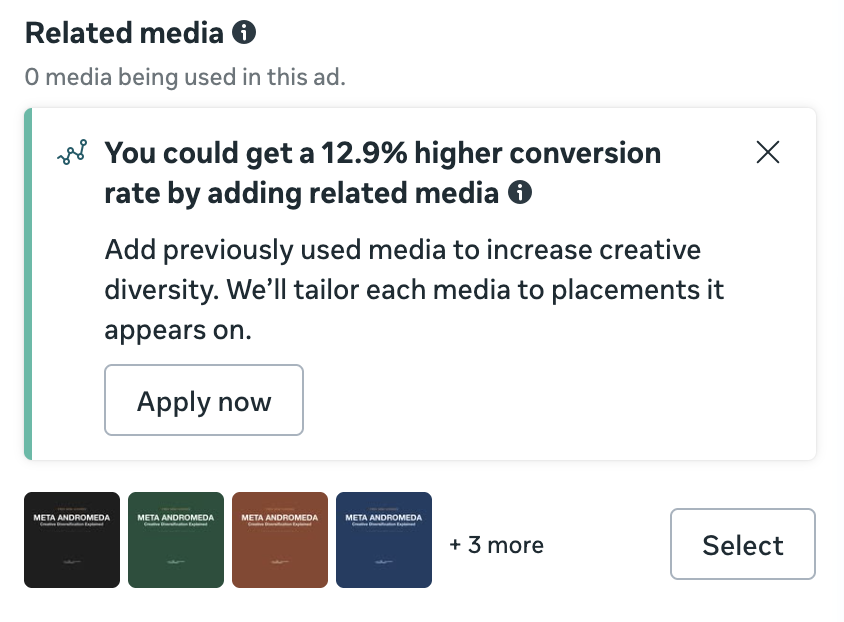
It occurred to me recently how incredibly useful this could be as a tool for generating diverse creative. Let me explain…
For the past few weeks, I’ve been promoting my new Andromeda mini-course. I started with five static ads and then added on a couple of videos. Since I created all of these ads, what if I could then create one ad that leveraged all of this creative?
In theory, this should be possible due to Related Media. So I duplicated an ad to see what would be recommended.
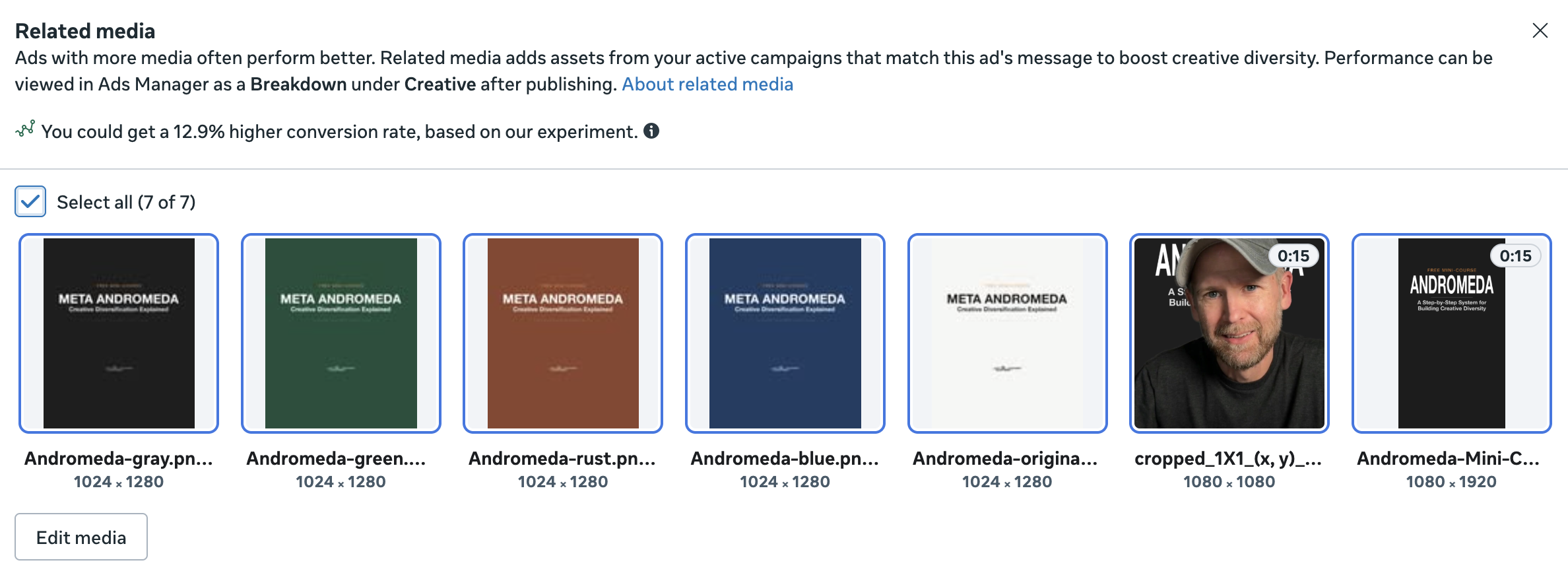
Admittedly, this is really close. The five static images that Meta recommends are the first versions that I created, and quickly turned off. Unfortunately, Meta doesn’t include my five active static ads as options.
And that’s where this could become really valuable. After a process of testing and running several different ads to promote something, you could consolidate everything down to a single ad. Imagine I stopped the seven ads I had running and simply created one ad that included all seven creative options.
You can even customize the text for each Related Media variation.
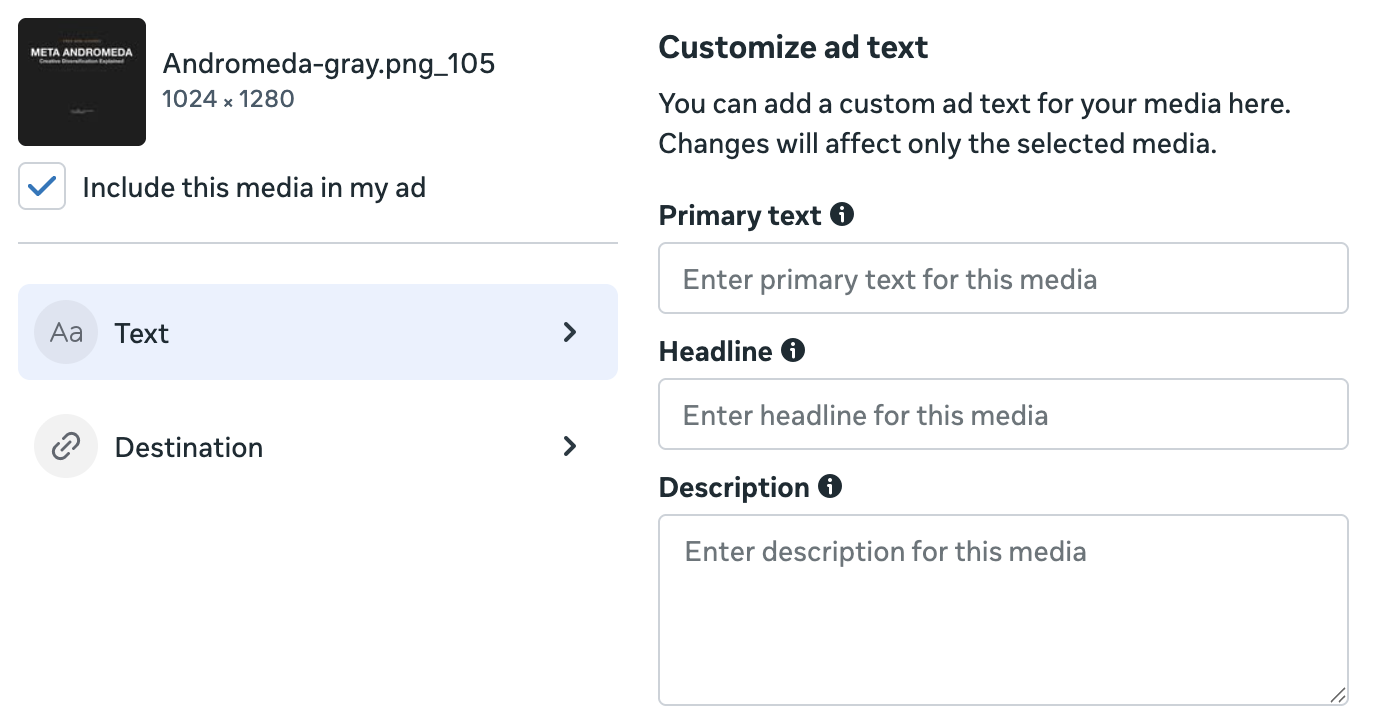
Suddenly, this is getting much closer to my vision of being able to provide several creative variations per placement for a single ad. While this still doesn’t let me select the creative by placement, we’re at least making it so that Meta can choose from any of my preferred creative options within one ad.
The biggest barrier at this point is that you’re at Meta’s mercy as far as which Related Media are made available. I have no idea why the five static images Meta gave me were the ones that were chosen.
And, yeah, it would be super cool to designate options by placement, but that’s still my long-term dream.
5. Audience Segments Bug?
Someone in my private community shared an experience about Audience Segments recently that has me concerned:
Our engaged audience had dropped to 0.5% of spend for most of this month. Far below what we typically see in the 12 to 17% range… We added the audience we use for engaged users as a suggestion and have seen allocation jump to 10% over the last two days.
On the surface, this sounds like a situation where Meta simply stopped prioritizing remarketing audiences, and the solution was to add those same audiences as suggestions. So one might also see this as proof that audience suggestions impact delivery.
And I may have believed that if this story hadn’t immediately reminded me of a problem I ran into with Audience Segments more than a year ago. It went like this…
1. My Engaged Audience included All Website Visitors – 180 days.
2. I created an ad set targeting website visitors who visited during the past 1 day (restricted, not as a suggestion).
3. Using the breakdown by Audience Segments, Meta claimed that 60% of my delivery was to New Audience.

4. This, of course, made no sense since the 1-day audience should be included 100% in the 180-day audience.
5. I started an ad set targeting the 180-day website audience that ran for two days.
6. I restarted the ad set that targeted the 1-day audience.
7. Using the breakdown by Audience Segments, Meta was then reporting 0% new audience.

I rarely use custom audiences for targeting these days (and I hadn’t used the 180-day audience for many months when this happened). So my theory was that the 180-day audience became inactive from a lack of use. And as a result, that audience became useless for Audience Segments.
If my theory is right and the issue reported in my group reflects the same issue, this is a huge oversight by Meta. You can’t do these things simultaneously:
1. Encourage algorithmic targeting
2. Encourage the use of Audience Segments with breakdowns
…if custom audiences need to be used every few months to remain active for use in Audience Segments. These are completely contradictory.
It’s especially concerning that I ran into this more than a year ago and it’s possible it’s still an issue now. If you’re running into a situation where your breakdown by Audience Segments is suddenly not making sense, consider this as a possible explanation — especially if you rarely use the custom audiences that define those segments for targeting.
6. The Most Useful Button in Ads Manager
It’s such a small thing, but I’m telling you. This button will change your life.
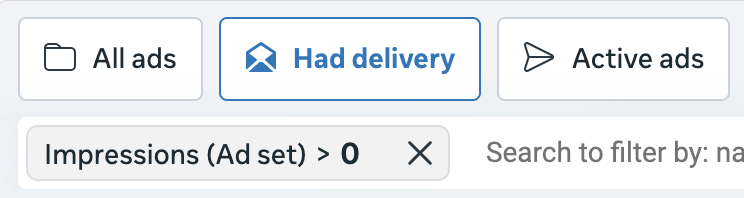
Quick Views are buttons that make frequent searches and settings easily accessible with a single click. While the feature isn’t new, it was improved recently. But that’s not even my point here.
That “Had Delivery” button is a lifesaver. Click it, and only the ad sets that have had at least one impression during the selected date range will appear. It’s possible that I edited mine from campaign or ad delivery to ad set delivery, but you get the point. All of the inactive stuff disappears.
When all of your campaigns appear by default, Ads Manager is super messy with distractions everywhere. And all of those campaigns in a single view could slow things down. This little button will hide all of the inactive campaigns that you don’t need to worry about.
Try it. I guarantee you’ll start using it.
7. Daily Budget Flexibility Weirdness
I had a weird experience with a new ad set recently with a $100 daily budget. On the second day of delivery, Meta spent $169.51, or nearly 70% over my budget.
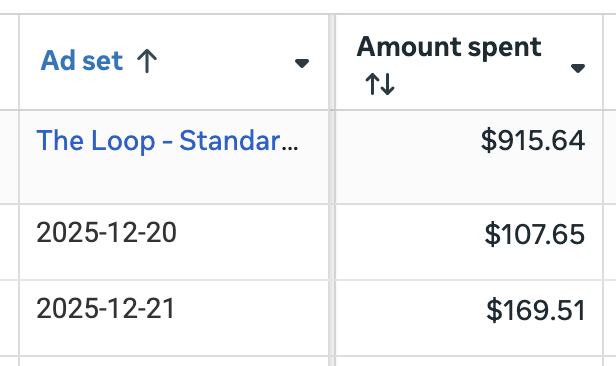
Now, that isn’t exactly the weird part. What I was seeing was an example of Daily Budget Flexibility. Meta can spend up to 75% over your budget on a given day to take advantage of opportunities. When that happens, you still won’t spend more than your budget for a given week.

So, the weird part. This happened on the second day of the ad set. It was still in learning. The ad set wasn’t even performing particularly well. How is it that Meta could possibly see this as a good opportunity to spend 70% over my budget?
The other weird part is that I rarely see Meta spend this much over my budget. Actually, I can’t document a single time. I took a look at a similar ad set with a daily budget of $100, and Meta never spent more than $114. I routinely see a variance of 5-10% in spend from day-to-day.
Except for this example, of course. And on day two, while learning.
For the record, Meta did what it was supposed to do after exceeding my budget. It made up for it in upcoming days, and I spent a shade under $700 during that seven-day period.
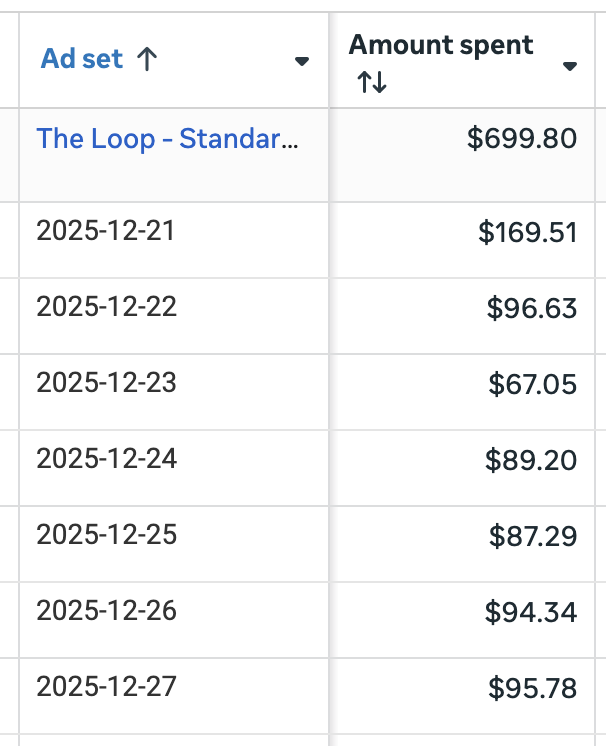
But overspending on the second day didn’t seem at all warranted or productive. It likely made my results worse since Meta was forced to spend less when things were improving.
If anything, it felt like a bug.
8. How Meta Could Auto-Generate Audience Segments
One of the most frustrating things for me is seeing how rarely other advertisers define and use Audience Segments. Even when the small percentage of advertisers define them, they often do so incorrectly.
The problem is that it requires using custom audiences to define Audience Segments. But really, Meta should know what makes up these groups already.
What’s weird to me is that Meta hasn’t come up with a way to generate Audience Segment definitions automatically. I’ve decided there’s one very easy way this could happen, using datasets.
Datasets make up the conversion events that you send from your owned assets — usually from website, CRM, and app sources. Meta has this data, and they know which datasets are used with which ad accounts.
Audience Segments could be predefined like this:
- Engaged Audience: All website events, all CRM events, all app events
- Existing Customers: All purchase events or events with a value (regardless of the source)
If you don’t send web or CRM events, your Audience Segments will be less complete.
Of course, this is just the predefined version so that anyone can make use of the Breakdown by Audience Segments. But, I imagine there could be a way to make them customizable and potentially add more custom audiences to make them more complete. An example would be using a custom audience for your email list when you don’t send CRM events.
I’m not a programmer, so maybe setting up this direct connection is more difficult than I think it is. But so many advertisers are missing an opportunity to make use of this data, and it feels like Meta could make it more accessible.
More to Come
I’ll be sharing observations like this every Wednesday, so make sure to bookmark my site so that you don’t miss them.
The post Advantage+ Creative Video Generation Beta and What Else I’m Seeing appeared first on Jon Loomer Digital.