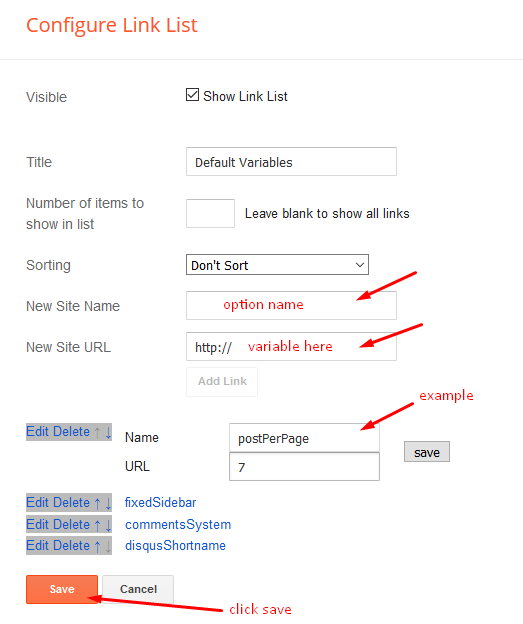

Top Navigation / Footer Menu
Access your blog Layout > click Edit icon on Top Navigation or Footer Menu widget.
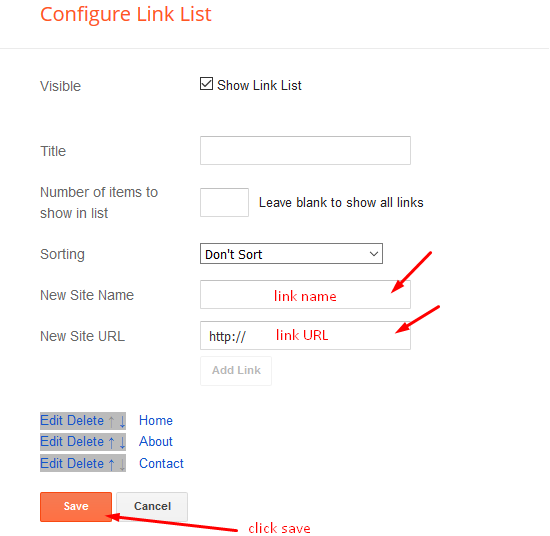
Social Top/ Sidebar Social
Access your blog Layout > click Edit icon on Social Top/Sidebar Social widget.
Icons Avaliables { facebook, twitter, gplus, rss, youtube, skype, stumbleupon, tumblr, vk, stack-overflow, github, linkedin, dribbble, soundcloud, behance, digg, instagram, pinterest, twitch, delicious, codepen, reddit, whatsapp, snapchat, email }
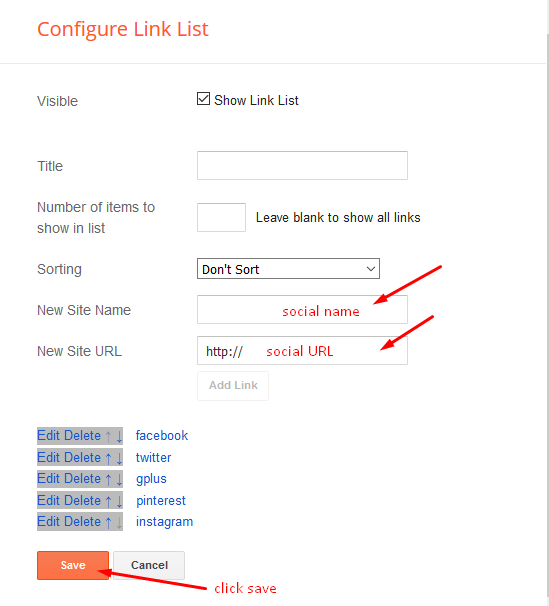
Main Menu/DropDown/Multi DropDown/Mega Menu
Access your blog Layout > click Edit icon on Main Menu widget.
Normal Link : Features
Sub Link: _Sub Link 1.0 (before the link add “_“) 1 underscore
Sub Link 2: __Sub Link 1.1 (before the link add “__“) 2 underscore
Mega Shortcode by Label: Technology/mega-menu
Mega Shortcode by Recent: recent/mega-menu
Mega Shortcode by Random: random/mega-menu
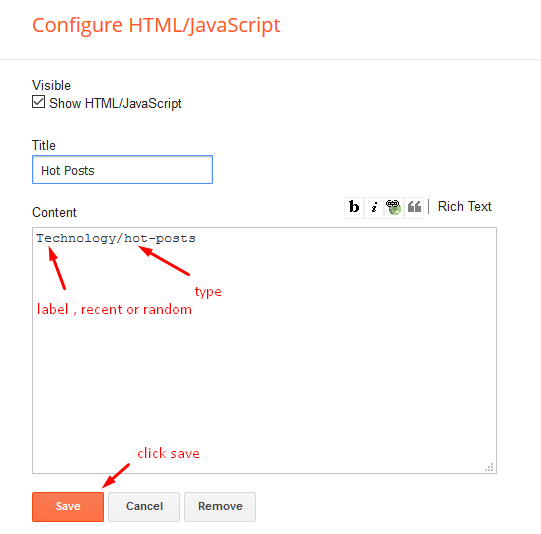
Hot Posts
Access your blog Layout > click Add a Gadget > HTML/JavaScript on Hot Posts section, you must place the following names highlighted in blue below.
Shortcode: Label, recent or random/hot-posts
Example: Technology/hot-posts
Grid Posts
Access your blog Layout > click Add a Gadget > HTML/JavaScript on Grid Posts section, you must place the following names highlighted in blue below.
Shortcode: Label, recent or random/grid-post
Example: Technology/grid-post

Main Slider
Access your blog Layout > click Add a Gadget > HTML/JavaScript on Main Slider section, you must place the following names highlighted in blue below.
Shortcode: Number of Posts/Label, recent or random/slider
Example: 6/Anime/slider
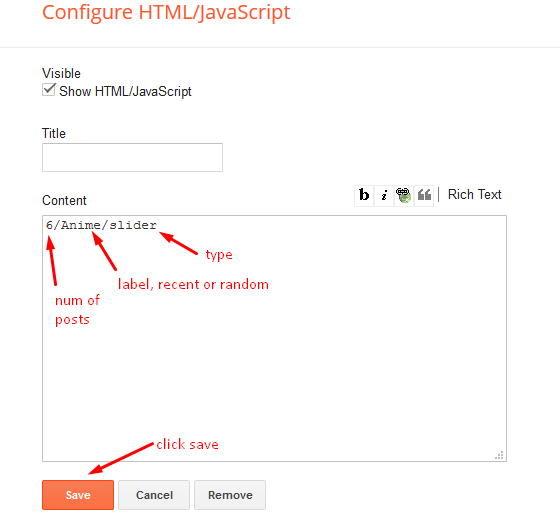
Access your blog Layout > click Add a Gadget > HTML/JavaScript on Main Slider section, you must place the following names highlighted in blue below.
Shortcode: Number of Posts/Label, recent or random/slider
Example: 6/Anime/slider
Post Layouts
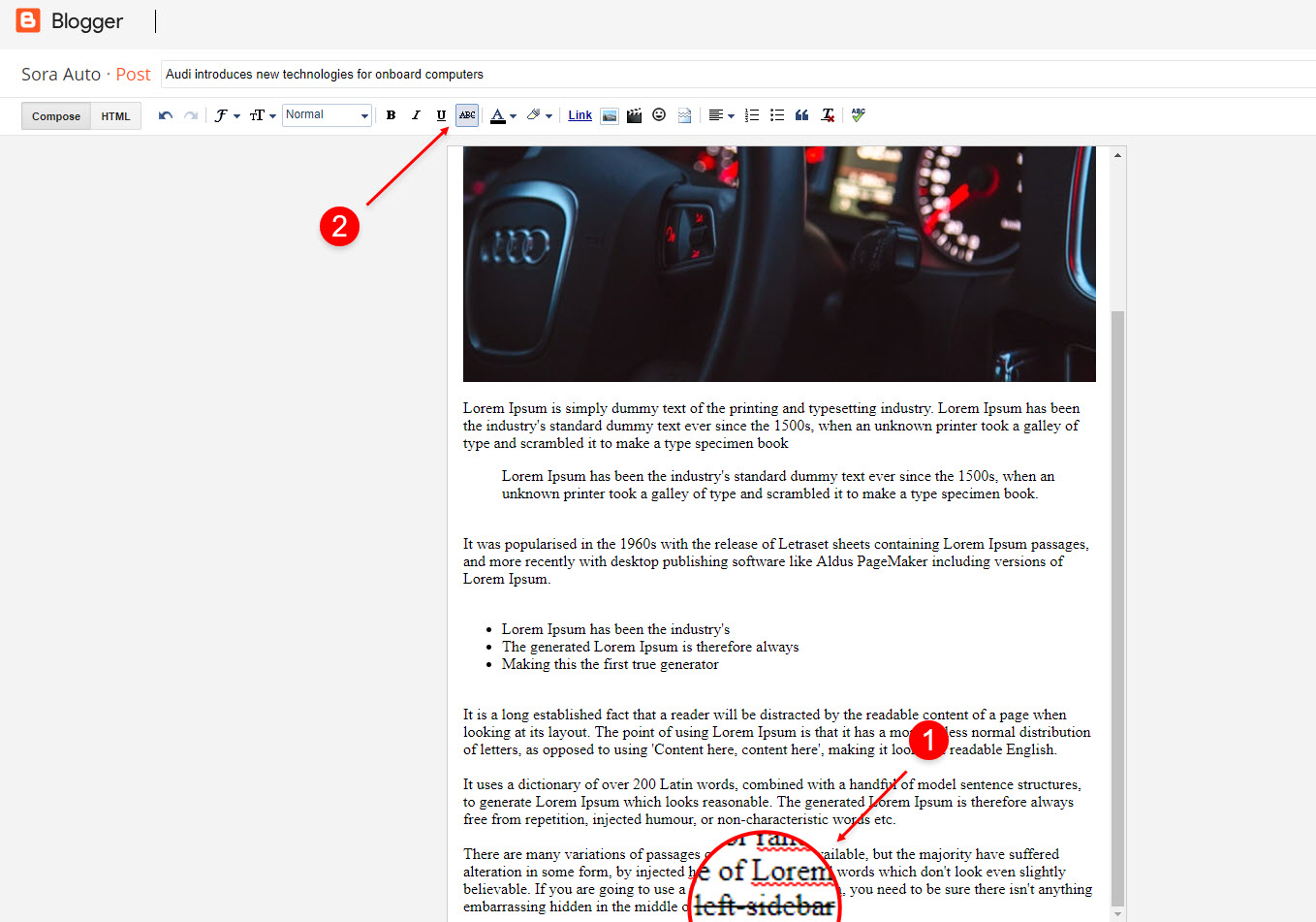
Left Sidebar: Inside the post add the text left-sidebar and add the style Strikethrough
Full Width: Inside the post add the text full-width and add the style Strikethrough
Right Sidebar: Inside the post add the text right-sidebar and add the style Strikethrough
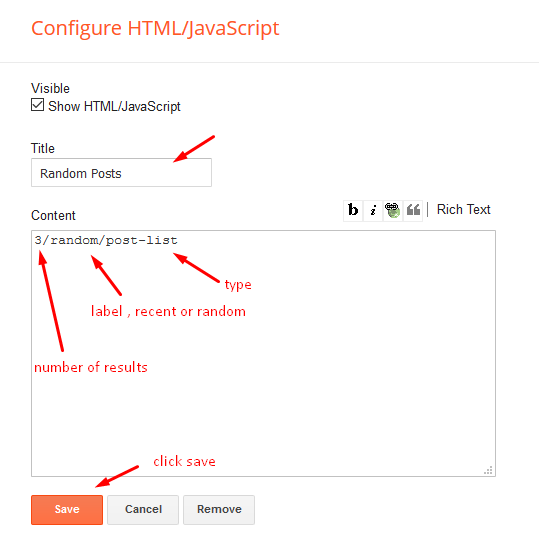
Post List Widget
Access your blog Layout > click Add a Gadget > HTML/JavaScript on Sidebar or Footer section and follow the instructions below.
Shortcode: Results number/Label, recent or random/post-list
Label Posts: 3/Technology/post-list
Recent Posts: 3/recent/post-list
Random Posts: 3/random/post-list
Theme Options
01 – Boxed Version
Access your blog Layout > click Edit icon on Boxed Version widget.
In New Site Name add boxedVersion, in New Site URL add true or false, after click on save button.

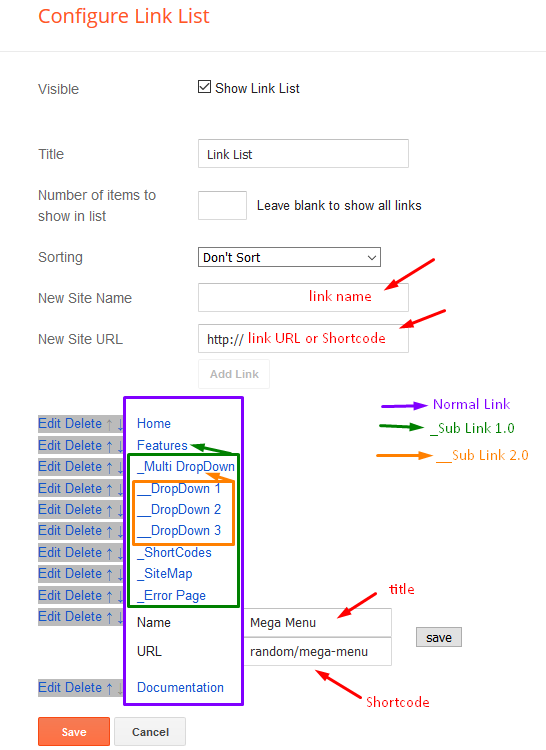
02 – Default Variables
Access your blog Layout > click Edit icon on Default Variables widget.
Post Per Page: In New Site Name add postPerPage, in New Site URL add the number of results, it should be the same as the posts from the home page, after click on save button.
Fixed Sidebar: In New Site Name add fixedSidebar, in New Site URL add true or false, after click on save button.
Comments System: In New Site Name add commentsSystem, in New Site URL add the comments sytem type {blogger, disqus, facebook or hide}, after click on save button.
Disqus Shortname: In New Site Name add disqusShortname, in New Site URL add your disqus comment system shortname, after click on save button.